Icon of program: Playwatch

Playwatch for Mac

  • Trial version
  • 3.3
    29
  • 698
  • V1.2.0

Quick info on playing iTunes tracks

To get iTunes out of the way, when I'm playing tracks, I like to minimize it. However that means having to hover the mouse over the dock icon to know what song is playing.

Top Recommended Alternative

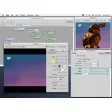
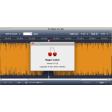
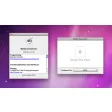
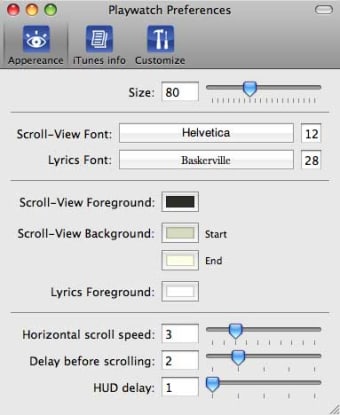
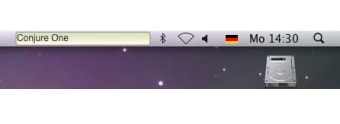
With Playwatch you can follow what tracks are playing in iTunes straight from the menu bar. The applications is highly customizable and you can choose what font and colors are used. You can even set ticker speed, delay and HUD delay.

The most interesting bit, although a little complicated to set up, has to do with the iTunes info. You can customize the order in which information appears in the Playwatch HUD. For example for radio tunes you want to see first the url and for albums the name of the song. Information lines for each music type can be rearranged and linked together.

A neat little feature is that Playwatch also showcases album art. One thing we found a little strange is that Preferences open up as a separate application.

Playwatch is a useful little menu bar item to have so you can always know what song is playing in your iTunes.
  • Pros

    • Fully customizable
    • Displays Cover Art
  • Cons

    • Preferences open up as different app
    • Lacks explanations
 0/2

App specs

  • License

    Trial version

  • Version

    1.2.0

  • Latest update

  • Platform

    Mac

  • OS

    Mac OS X

  • Language

    English

    Available languages

    • German
    • English
  • Downloads

    698

  • Size

    3.41 MB

  • Developer

Program available in other languages


Icon of program: Playwatch

Playwatch for Mac

  • Trial version
  • 3.3
    29
  • 698
  • V1.2.0

User reviews about Playwatch

Have you tried Playwatch? Be the first to leave your opinion!

Add review

You may also like

Explore Apps

Latest articles

Laws concerning the use of this software vary from country to country. We do not encourage or condone the use of this program if it is in violation of these laws.
Softonic

Is Playwatch safe?

100/100

Score result: Clean

This file passed a comprehensive security scan using VirusTotal technology. It is safe to download.

  • Virus free
  • Spyware free
  • Malware free
  • Verified by Security Partners

    VirusTotal logo

Scan Info

Last scan
Monday, November 20, 2023
Scan provider
VirusTotal · Full report

File Integrity

File
Playwatch_1.2.0.dmg.zip
SHA256
01182b2c6383c6a69bd7f80946face030b053dadd34885798c64e54c163ab1c2
SHA1
2d8ae0a173079382ec6148d5adae1b17ec1800a4

Softonic security commitment

Playwatch has been thoroughly scanned by our advanced security systems and verified by industry-leading partners. This file comes from the official developer and has passed all our security checks, showing no signs of viruses, malware, or spyware. For more information, visit our Security and Trust Center